
What is Remote Job Etiquette: A Professional Guide to Modern Work
Remote jobs offer flexibility and eliminate commutes, transforming traditional work structures. However, success in this environment requires adherence to remote job etiquette, the set of professional standards that maintains productivity and team cohesion virtually. This article addresses what remote job etiquette is, strategies for crafting a compelling remote job resume, and insights into why remote jobs continue to proliferate. Drawing from established practices and data, the content provides actionable guidance for professionals entering or advancing in remote roles.
What is Remote Job Etiquette?
Professional behaviors designed for remote work environments are part of remote job etiquette, which ensures efficiency and trust even in the absence of physical presence. It goes beyond simple politeness to include well-defined boundaries, professional virtual presence, and organized communication.
The framework rests on three core elements: communication, which demands prompt and transparent updates; presence, achieved through professional video appearances; and boundaries, such as designated offline periods. Research from Gallup indicates that remote workers practicing strong etiquette experience 21% higher engagement levels.
In practical terms, remote job etiquette mirrors in-office professionalism adapted to digital tools. Why remote jobs heighten its importance lies in the absence of nonverbal cues, making intentional actions critical. Proficiency in these areas enhances professional reputation and strengthens remote job resume profiles.
The Digital Shift
Modern virtual collaboration has moved far beyond simple video calls. Today, remote etiquette is heavily shaped by asynchronous workflows and the integration of AI note-takers and automated project tracking. Mastering this environment means knowing how to maintain visibility, respect deep-work boundaries, and communicate clearly across text-based platforms so teams can collaborate seamlessly across multiple time zones without meeting fatigue.
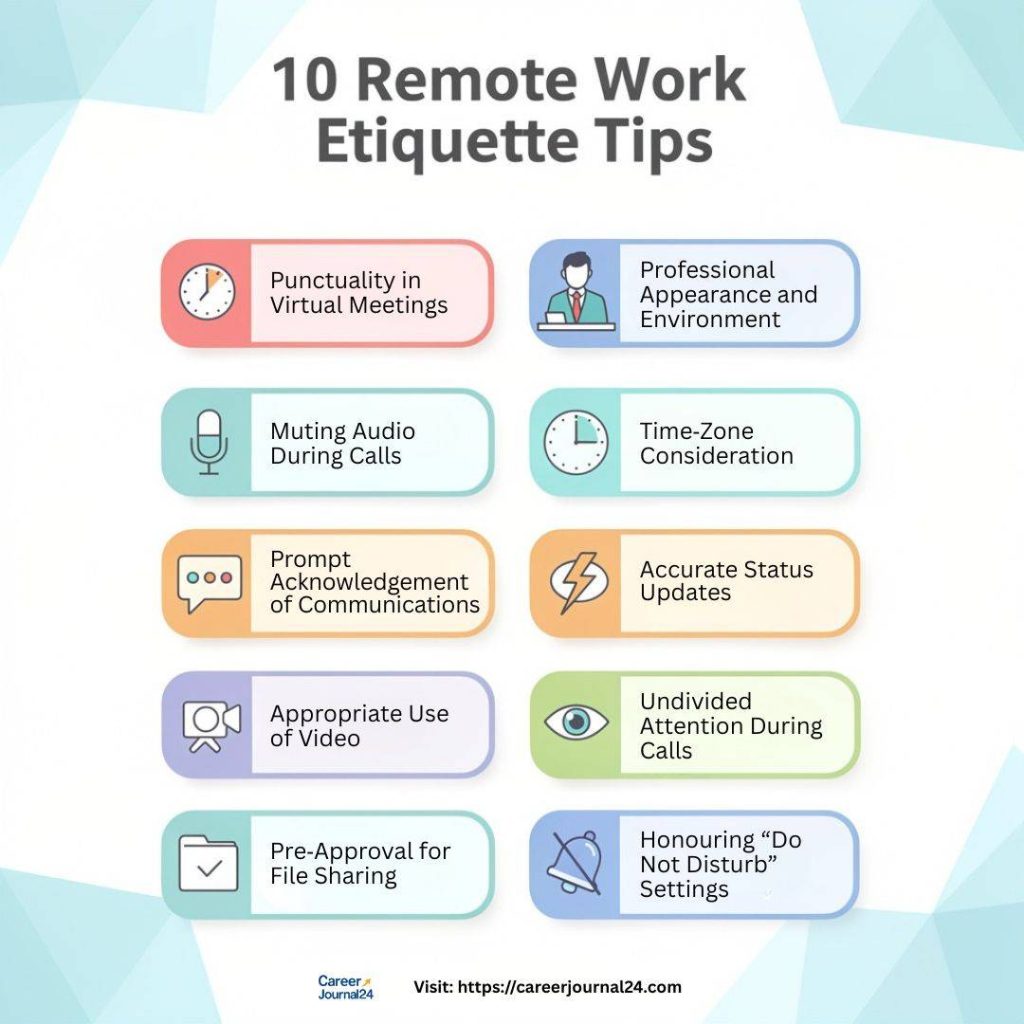
10 Remote Work Etiquette Tips
The following 10 remote work etiquette tips derive from proven practices in virtual teams. Each includes rationale, implementation steps, and supporting evidence for comprehensive application.
1. Punctuality in Virtual Meetings
Timely attendance at virtual meetings demonstrates respect for collective schedules. Participants should join calls at least one minute prior to the scheduled start. Should unforeseen circumstances cause delay, advance notification to the meeting host is obligatory (e.g., “Connectivity issues will cause a five‑minute delay”). Late arrivals disrupt workflow momentum, while early departures without notice inconvenience remaining participants. Adherence to scheduled start and end times preserves calendar integrity and reflects personal accountability.
2. Professional Appearance and Environment
Video presence must align with corporate professionalism standards. Employees are expected to dress appropriately for the waist up, utilising business‑casual or formal attire depending on organisational policy. Backgrounds should be uncluttered and neutral; virtual backgrounds are permissible if they eliminate visual distractions. A polished appearance reinforces credibility, particularly during client‑facing engagements, and affirms that remote work maintains equivalent professional rigour to in‑office work.
3. Muting Audio During Calls
Unintended background noise remains the foremost irritant in remote collaboration. All participants must mute microphones upon joining a call and retain muting until actively speaking. This practice prevents audio interference (e.g., household sounds, notifications, or conversations) and ensures seamless auditory clarity for the speaker. Video platforms typically offer auto‑mute settings; enabling this feature is recommended.
4. Time‑Zone Consideration
Scheduling must account for geographic dispersion. Meeting organisers are responsible for utilising time‑zone coordination tools (e.g., World Time Buddy, Calendly) to identify mutually feasible slots. No single region should consistently bear inconvenient hours; rotating meeting times distributes accommodation equitably. Disregarding time zones risks employee fatigue and diminished morale.
5. Prompt Acknowledgement of Communications
Immediate acknowledgment of received messages or task assignments mitigates operational ambiguity. Even when substantive completion is pending, a brief confirmation (e.g., “Message received. Deliverable will be submitted by 15:00 EST”) provides clarity and reassures stakeholders. Unacknowledged communications generate uncertainty, duplicate inquiries, and potential workflow delays.
6. Accurate Status Updates
Collaboration platforms (Slack, Microsoft Teams, etc.) feature status indicators designed to manage expectations. Employees must update statuses truthfully (e.g., “In focused work, unavailable until 13:00,” “Offline for the day”). Precise status visibility prevents unnecessary interruptions, safeguards deep‑work periods, and enhances team efficiency.
7. Appropriate Use of Video
Video should be enabled for substantive interactions, including team meetings, one‑on‑ones, brainstorming sessions, and client consultations. Non‑verbal cues significantly reduce misinterpretation. For brief logistical updates, audio or text suffices. Exceptions for poor bandwidth are acceptable, though video remains the default for meaningful discourse.
8. Undivided Attention During Calls
Multitasking during virtual meetings conveys disrespect and compromises comprehension. Participants must dedicate full attention to the discussion, closing unrelated applications and silencing non‑essential notifications. Should temporary absence become necessary, the individual should mute their microphone and verbally notify the group (e.g., “Retrieving a document, returning shortly”).
9. Pre‑Approval for File Sharing
Transmission of documents or large files requires prior consent. Sending unsolicited attachments disrupts workflow and risks overwhelming inboxes. The sender should first inquire: “Is now convenient to share the Q3 report?” Large files must be shared via secure cloud links (Google Drive, Dropbox) rather than email attachments, with file size noted in the message.
10. Honouring “Do Not Disturb” Settings
When a colleague’s status designates “Do Not Disturb,” this parameter must be respected unless an emergency exists. Overriding DND without justification undermines concentration, escalates stress, and jeopardises productivity. True emergencies necessitate explicit permission (e.g., “Urgent system outage requires immediate input”).
Building a Remote Job Resume
A conventional resume proves insufficient for remote‑role applications. A competitive remote job resume must explicitly highlight capabilities and experiences pertinent to distributed work.
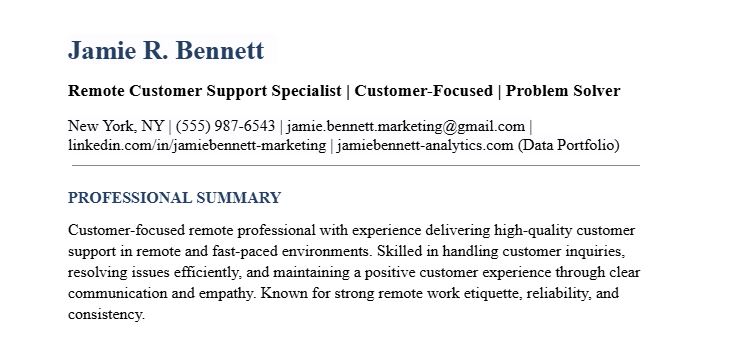
a) Dedicated Remote Experience Section
Create a distinct heading, Remote Work Experience. Detail roles performed remotely, specifying achievements quantifiable to remote success:
Marketing Coordinator | NovaTech Solutions (Remote) | Jan 2021 – Present
- Orchestrated cross‑continental campaign launches across four time zones, reducing deployment timeline by 22%.
- Developed a remote onboarding checklist, decreasing new‑hire integration duration from 14 to 7 days.
b) Technology Proficiency
Include a Remote Tools sub‑section listing platforms mastered (e.g., Slack, Zoom, Asana, Trello, Microsoft Teams, Google Workspace, Notion). Specify proficiency in asynchronous communication and time‑zone management.
c) Remote‑Relevant Soft Skills
Emphasise self‑motivation, written communication, problem‑solving, and time management. Example bullet points:
- Demonstrated self‑direction by consistently delivering projects ahead of deadlines without direct supervision.
- Instituted a shared project dashboard, reducing follow‑up clarification requests by 35%.
d) ATS Optimisation
Integrate keywords such as “remote collaboration,” “virtual team leadership,” “asynchronous communication,” and “distributed workflow management.” Utilize free ATS‑check tools like Jobscan prior to submission to ensure compatibility. If you have periods of unemployment while transitioning to remote work, refer to this employment gap resume sample to maintain a professional narrative.
Why Remote Work Etiquette Matters So Much
Adherence to remote etiquette is not optional; it is foundational to organisational efficacy.
- Trust Preservation: Consistent etiquette cultivates interpersonal trust, the cornerstone of virtual teams. Erratic communication or boundary violations erode confidence rapidly.
- Error Reduction: Clear protocols minimise miscommunication. Ambiguous messages or delayed responses frequently cascade into project setbacks.
- Well‑being and Retention: Respect for work‑life boundaries prevents burnout. Teams observing strict etiquette report 30% higher retention (Owl Labs, 2022). Companies prioritising remote etiquette, such as GitLab, routinely lead in employee satisfaction metrics.
Organisations with robust etiquette frameworks achieve superior productivity, innovation, and talent retention.
Why Remote Work Etiquette Matters So Much
Remote work etiquette serves as a critical differentiator in virtual settings. Why remote jobs demand it stems from proximity bias, where Microsoft’s Work Trend Index notes remote promotion rates trail by 10%.
Adherence counters this through demonstrated reliability; Buffer reports 25% higher productivity in etiquette-compliant teams. It also mitigates isolation, reducing quit rates twofold among disconnected remote staff.
Professionally, etiquette provides narrative material for resumes, such as “Optimized remote project via structured check-ins.” For entrepreneurship, it underpins scalability in the $1.5 trillion remote economy, per Upwork. McKinsey projects 58% of U.S. jobs viable remotely, underscoring etiquette’s strategic value.
Communication Tips for Remote Success
Effective remote communication hinges on precision, channel appropriateness, and documentation.
- Clarity Over Speed: Messages must be concise yet comprehensive. Instead of “Review this,” articulate: “Please review the attached Q2 budget spreadsheet (Sheet 3, rows 45‑60) and confirm figures by 17:00 EST. Flag discrepancies immediately.”
- Asynchronous Communication Preference: Non‑urgent matters should utilise asynchronous channels (Slack threads, shared docs, Loom videos), allowing recipients to respond within their productive windows. This respects time zones and deep‑work periods.
- Documentation of Decisions: Post‑meeting summaries must be uploaded to central repositories (e.g., Confluence, Notion), detailing decisions, owners, and deadlines. This creates an auditable record and eliminates version confusion.
- Channel Appropriateness: a) Chat (Slack/Teams): Rapid queries or brief updates. b) Email: Formal requests, detailed instructions, or legal documentation. c) Video Call: Complex discussions, conflict resolution, or relationship‑building.
- Camera Eye Contact: When video is active, speakers should direct their gaze toward the webcam, not the screen, to simulate natural eye contact.
Conclusion
Proficient remote job etiquette is indispensable for thriving in modern work ecosystems. When combined with a meticulously crafted remote job resume, it positions professionals to secure and excel within remote roles. Organisations such as FlexJobs specialise in vetted remote opportunities, while resources like Harvard Business Review’s The Remote Communication Playbook offer advanced strategic insights. Mastery of these disciplines ensures productivity, collaboration, and enduring career success, regardless of location.






One Comment